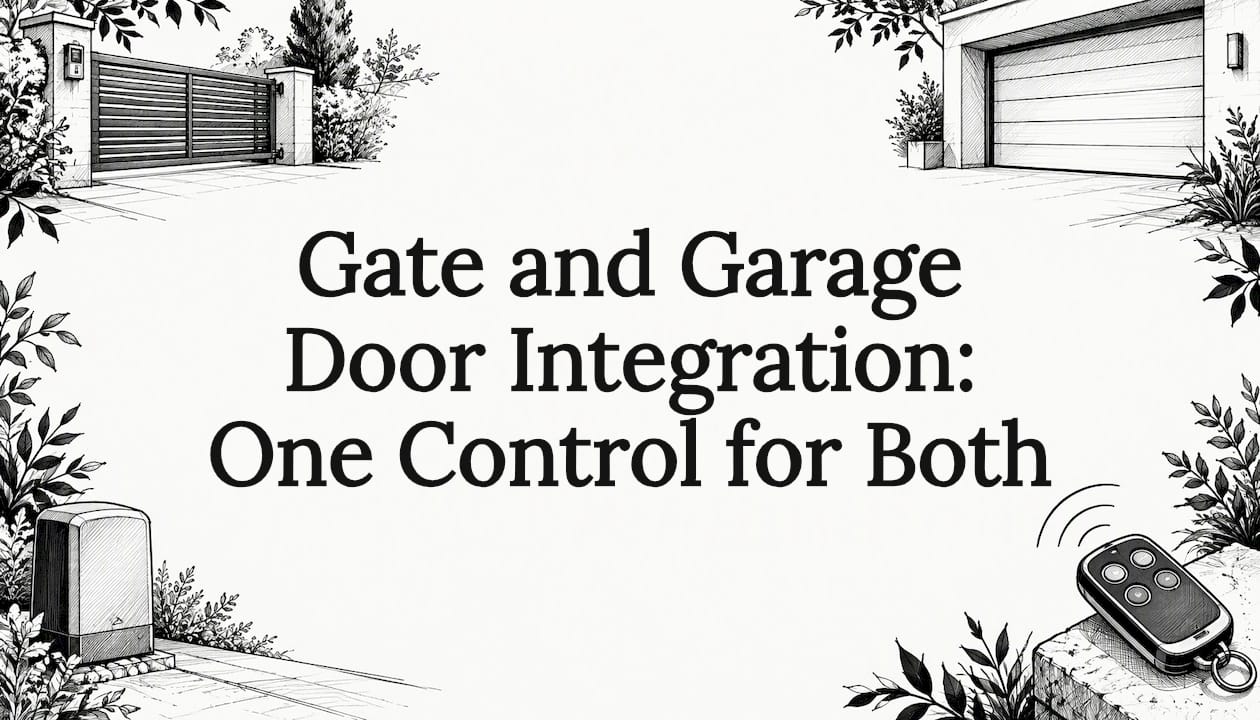
Yes, a driveway gate and a garage door can be run from one remote, one app or one keypad. You do it in one of three ways: a multi-channel remote, a receiver that lets one handset talk to both motors, or a smart controller wired into each motor's control input. The right route depends on the motors you already have, their age and their safety devices, so the first job is always to work out what is on site.
This guide sets out the options, what each one needs and how an installer approaches a mixed gate and garage system. It is written for Melbourne homeowners, builders and architects planning an entry that feels like a single, considered sequence rather than two separate gadgets.
TL;DR
- One handset can control a gate and a garage door through a multi-door remote, a universal receiver or a smart relay controller.
- Check the motor brands, their age and whether each has a dry-contact or key-switch input before choosing a controller.
- Photoelectric safety beams are not optional extras. Several smart kits will not work without them, and gate manuals require them for auto-close.
- Mains wiring in the gate area needs a licensed electrical tradesperson, while low-voltage control wiring is where integration happens.
- Plan integration during the gate design stage and it is neater, safer and cheaper than bolting it on later.
Table of Contents
- What "integration" actually means
- Option 1: A multi-door remote
- Option 2: Smart controllers for phone and voice
- Comparing the three approaches
- Can you retrofit existing gates and garage doors?
- Safety is the part you cannot skip
- How installation works on a real project
- Adding intercom, lighting and wider smart home control
- Our perspective
- Plan your gate and garage entry with Gatecon
- FAQ
- Sources
What "integration" actually means
People use the word for three different outcomes, and it helps to separate them.
- Shared remote. One handset opens the gate and the garage door, but each motor still has its own receiver.
- Shared app or voice control. A smart controller sits beside each motor, and a phone, watch or voice assistant triggers both.
- Sequenced behavior. The gate opens, the garage door follows, and a keypad, intercom or geo-fence triggers the whole arrival sequence.
Most homes start at level one or two. Level three is where design and automation meet, and it is where a bespoke installer earns its keep, because it depends on gate placement, sight lines, cabling paths and the intercom position as much as on the electronics.
Option 1: A multi-door remote
The simplest approach is a remote that learns several openers. The Chamberlain/Merlin four-button car visor remote controls up to four powered garage doors or gates. It suits openers made since 2009 and can code both Security+ and Security+ 2.0 on one remote.
Gliderol takes a different route. Its G+ Remote handles up to three garage doors or automatic gates, and its stand-alone receiver lets Gliderol remotes work with any brand of door or gate. That matters if your garage door is one brand and your gate motor is another, which is common when the gate is added years after the house was built.
The trade-off is simple. These solutions give you one handset in the car, but not app control, status feedback or automated sequences. For many households that is enough.

Option 2: Smart controllers for phone and voice
If you want to open both from a phone, check the status from anywhere or use voice assistants, a smart controller is the next step. There are two families.
Brand-specific gateways
The Merlin myQ Gateway ($79.00 incl. GST) connects listed Merlin gate and garage openers to a smartphone app. The compatible list includes several Merlin sliding and swing gate openers and a range of garage openers. Two conditions apply: Safety IR Beams are required for myQ connectivity, and myQ does not work with tilt garage doors.
A bundled option, the myQ Connectivity Kit (M828AU774), includes the gateway and beams at $155.00 incl. GST. It works with Merlin garage openers made from 2009 onwards, and again not with tilt doors.

Universal relay controllers
Universal controllers do not care about the brand. They close a relay, in the same way a wall button or key switch would, and your existing motor does the rest.
- The PIXIE Plus controller (PC206GD/R/BTAM) has two dry-contact output relays. It suits garage door controllers with a key-switch input and works with panel doors, roller doors and automatic sliding or folding gates. It runs on Bluetooth Mesh, so it needs no Wi-Fi or internet, and can be controlled through its app, an Apple Watch or Google, Alexa and Siri voice.
- The Legrand connected module (067696) is listed as universally compatible with motorised garage doors and gates. It runs on Zigbee and responds to wireless shutter controls, the home+Control app or voice.
- The BrilliantSmart WiFi universal door controller opens most garage doors, sliding gates and roller shutters that have manual override terminals. It supports geo-fencing, so the gate or door can open as you enter your street. Its specification calls for safety beams installed to AS/NZS 60335.2.92 Amendment 2.
One retailer's guide describes the principle plainly: two low-voltage wires from a smart controller go to two terminals on the motor. It adds that the last piece is knowing whether the gate or door is open or closed, which it handles with wireless tilt or open/close sensors. Status feedback is what separates a smart system from a remote with an app on top.
Comparing the three approaches
| Approach | Best for | Needs from the motor | Gives you |
|---|---|---|---|
| Multi-door remote | Simple one-handset access | Compatible remote format | One remote for several doors or gates |
| Brand gateway | Matching brand motors | Listed model, safety beams | Phone control inside one ecosystem |
| Universal relay controller | Mixed brands, older motors | Dry-contact or key-switch input | App, watch and voice, plus geo-fencing on some |
Can you retrofit existing gates and garage doors?
Often, yes, but check four things before you buy anything.
- The control input. Universal controllers need a dry-contact, key-switch or manual override terminal on each motor. Look in the motor manual or on the control board.
- Motor age and brand. Brand gateways list their compatible models and manufacturing years. If a motor is outside the list, a universal relay is the likelier fit.
- Door type. Tilt doors are excluded from the Merlin myQ options above, and sensors differ between sectional, roller and gate applications.
- Safety devices. Confirm beams exist and work. If they do not, they need to be added as part of the upgrade, not afterwards.
If you are unsure about a motor's compatibility, a brand-neutral technician can check opener and control-board compatibility before you spend money on a controller. Our own retrofit checklist for gate access walks through the Australian standards side in more detail.
Safety is the part you cannot skip
Connecting two moving barriers to one app multiplies the places where someone can be caught, and the manuals are blunt about it. The Merlin MGS500 sliding gate manual says photoelectric beams are supplied and must be installed if no other safety devices are fitted. It also details beam wiring: for one beam model, four wires from the receiver to the control board and two from the transmit side, at 12/24V AC/DC.
Auto-close is where the rule bites hardest. The NeoSlider manual states that with auto-close, a photoelectric beam must be fitted correctly and tested at regular intervals. It also warns about electrocution and says to switch off mains power before removing covers or repairing. The EasySlider ALPS manual gives the same beam requirement, tells you to disconnect mains power before repairs and to keep hands and loose clothing clear of the gate and operator.
A few practical rules follow from this:
- Never let a smart controller or geo-fence close a gate or door unattended unless beams are fitted and tested.
- Treat mains work in the gate area as a job for a licensed electrician, not a weekend project.
- Test the beams on a schedule, as the manuals say, and after any adjustment to the gate or motor.
- Keep children away from any gate you are triggering remotely, and make sure you can see it when you press the button.
We cover beam placement in mounting gate safety sensors at 600 mm, and the broader logic of putting safety before app features in our smart home gate control guide.
How installation works on a real project
A sound integration job follows a sequence, and the order matters.
- Site and motor audit. Identify every motor, its age, its inputs and its safety devices. Note where the gate sits relative to the garage door and how far the cable run is.
- Choose the control strategy. Shared remote, universal relay or brand gateway, based on the audit and on how you want to arrive home.
- Cabling and power. Low-voltage control cable runs between the controller and motor inputs. Any mains supply to the gate motor goes through a licensed electrician.
- Safety devices. Fit or verify photoelectric beams and any edge sensors before commissioning.
- Commissioning and testing. Program remotes or the app, test open, close, stop and obstruction behavior on both the gate and the door, then demonstrate it to everyone in the household.
- Handover. Leave the manuals, remote codes and a testing schedule for the beams.
The duty cycle and movement type of the gate also shape the system. A heavy sliding gate behaves very differently from a swing pair, and we explain how to match automation to the gate movement type. If a double swing pair is on the cards, our double driveway gates guide covers sizing and layout.
Adding intercom, lighting and wider smart home control
Once the gate and garage door answer to one controller, the next layer is how visitors and household members reach it. A video or audio intercom at the gate can trigger the same relay as your phone, so the choice comes down to how you receive visitors. Our comparison of video and audio intercoms helps with that decision.
If you want the gate and garage to sit inside a wider home setup, such as lighting scenes, blinds and voice assistants, a wireless smart home automation approach shows how a home can be automated without building works. Lighting is part of the arrival experience too: see our ideas for three-layer driveway gate lighting.
Our perspective
We design gates before we think about electronics, and that order is deliberate. A gate that is placed, proportioned and finished to suit the architecture gives the automation somewhere sensible to live: motor housings, cable paths, beam positions and keypads that look intended rather than added.
The best integrations we see are quiet. The gate opens, the garage door follows, and nobody notices a bulky box or a trailing cable. That is the standard we work to: security and elegance without bulky hardware, with access control that suits the building rather than competing with it.
Our advice to owners and architects is to settle the entry sequence at design stage. Decide where the car stops, where the intercom sits and which door should open first. When those answers are on the drawings, the control strategy is straightforward and the safety devices are part of the design, not a late compromise.
Rhys
Plan your gate and garage entry with Gatecon
We design, fabricate and install bespoke architectural gates and designer fencing across Melbourne, with automation and access control built into the design from the start. If you are building or renovating and want the gate and garage door to work as one entry, our custom packages bring design, automation and installation together in one project.
We work with homeowners, boutique builders, developers and architects, and we cover inner suburbs, Bayside, the Eastern Suburbs and the Dandenongs. Tell us about the site and we will talk through the entry sequence you want.
FAQ
Can one remote open both my gate and my garage door?
Yes. Multi-door remotes can learn several openers, and one of the Chamberlain/Merlin visor remotes handles up to four doors or gates. Universal receivers let a single brand of remote work with mixed motors. Check that the remote format matches each motor first.
Do I need to replace my existing motors to integrate them?
Not necessarily. Universal controllers work by closing a relay on a dry-contact or key-switch input, so many existing motors can stay. Confirm the input exists on each motor and that its safety devices are fitted and working.
Do I need safety beams for smart control?
In many cases, yes. Some smart kits will not operate without beams, and gate motor manuals require a photoelectric beam for auto-close. Beams should be tested at regular intervals, and an installer should confirm they suit your gate type.
Can I wire it myself?
Low-voltage control wiring is the integration step, but mains supply in the gate area should be handled by a licensed electrician. Manuals also say to switch off mains power before removing covers. For a luxury or custom gate, we recommend a professional installation so the whole system is commissioned and tested together.
Will smart control work without Wi-Fi at the gate?
It can. Some controllers use Bluetooth Mesh or Zigbee instead of Wi-Fi. The PIXIE Plus, for example, works with no Wi-Fi or internet required. Range from the house to the gate still needs to be checked on site.
Sources
- Four Button Car Visor Remote Control, Chamberlain AU
- Garage Door Accessories, Gliderol
- myQ Gateway, Merlin AU
- myQ Connectivity Bundle M828AU774, Merlin AU
- Smart Garage Door Opener & Controller, PIXIE Plus
- Legrand Connected Module for Motorised Garage and Gate Control
- BrilliantSmart Smart WiFi Universal Door Controller specification
- How to make your motorised gate or garage door smart, SmartHome Australia
- Merlin MGS500 Sliding Gate Opener Installation Manual
- NeoSlider NES-24V2 Installation Manual
- EasySlider ALPS Sliding Gate Opener Manual
- Opener and control-board compatibility checks