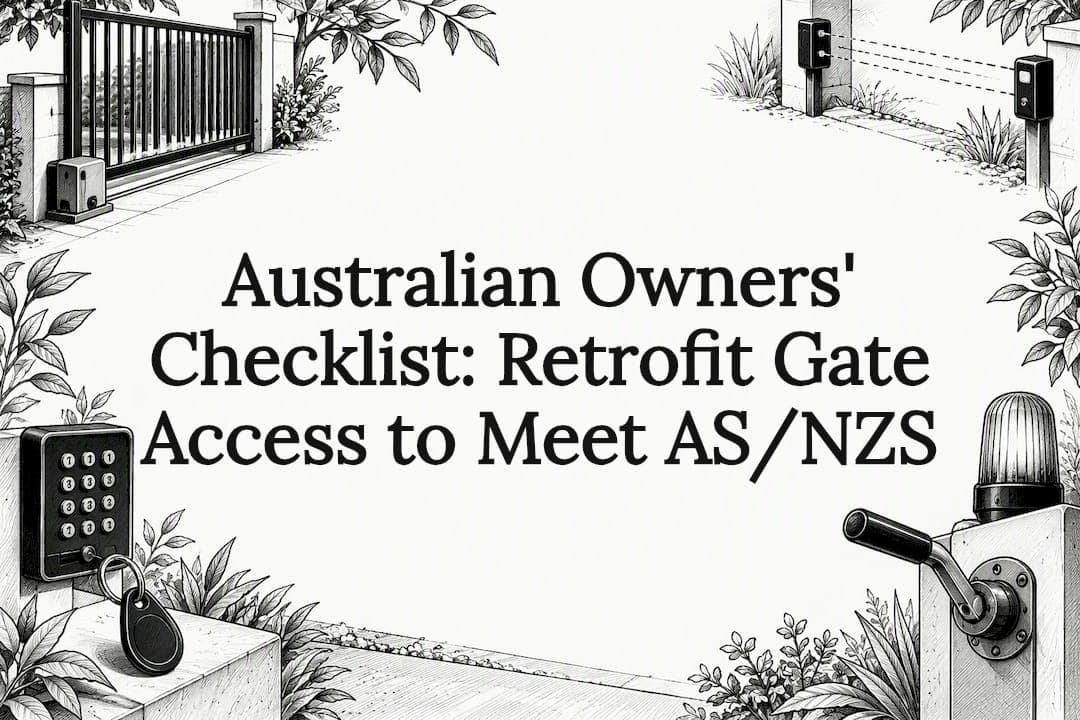
A single-family driveway usually does best with a keypad, RFID fob, or Bluetooth app system, while multi-tenant and commercial gates benefit from cellular controllers or RFID with centralized credential management. Before buying anything, check whether a retrofit add-on will work with your existing opener, and confirm the installation meets AS/NZS 60335.2.103 through a qualified site survey.
TL;DR:
- Cellular and cloud controllers are ideal for remote or multi-site properties because they do not rely on on-site internet and require a subscription fee.
- Retrofitting existing gates with add-on controllers is faster and cheaper, but requires verifying control board compatibility and safety device condition.
- In Australia, all automatic gates must meet AS/NZS 60335.2.103:2024, which includes mandatory safety features like force-sensing edges and photoelectric beams.
- System choice should be based on user turnover, site connectivity, safety compliance, and budget, including ongoing costs like subscriptions and maintenance.
- High-security sites may opt for biometric systems, despite higher costs, because they are difficult to share or fake, but regular cleaning and calibration are needed.
Table of Contents
- What are the main types of gate access control?
- How do you choose the right gate access system?
- Can you add smart access to an existing gate without replacing it?
- What installation and safety standards apply to gate access systems?
- How much does a gate access system cost and how long does installation take?
- How do you maintain a gate access system over time?
- When does a custom installed gate make more sense than a retrofit?
- How Gatecon approaches gates, fencing, and access control
- FAQ
- Sources
What are the main types of gate access control?
Every gate access system boils down to how it verifies who gets in, and that choice drives cost, security, and day-to-day management. Here's how the common categories stack up.
Keypad or PIN entry systems ask users to punch in a code at a post-mounted unit. They're cheap, simple to install, and need no app or card to manage, which makes them popular for small residential driveways and shared laneways. The downside is that codes get shared, written down, or never changed, so they're one of the weaker options for sites where you need to know exactly who came through.
RFID, card, and fob systems use a physical credential tapped against a reader. They're fast, durable, and give you individual user tracking since each fob has its own ID. Gated communities and body corporates lean on RFID because lost or stolen fobs can be deactivated instantly without changing a shared code for everyone else. The tradeoff is the physical credential itself: residents lose fobs, and replacing them costs money and admin time.
Clicker or remote systems are the classic garage-door-style transmitter. They're familiar, reliable in good weather, and need no network connection to function. They offer almost no audit trail and limited scalability, so they tend to suit single-home driveways rather than any property with significant tenant or visitor turnover.
Mobile app, Bluetooth, and Wi-Fi systems let residents or staff open the gate from a smartphone, often over a local Bluetooth connection or the property's Wi-Fi network. Remootio-style add-on controllers are a common example: they let you add smartphone, Bluetooth, Wi-Fi, and internet control to many existing gate openers without replacing the main operator, supporting virtual keys, schedules, and integrations with voice assistants. These systems are convenient and support remote guest access, but they depend on phone battery life, app reliability, and network coverage at the gate.
Cellular and cloud controllers route access requests over a mobile data connection rather than property internet. Cellular controllers retrofit existing gate operators to deliver app-based access and centralized management across multiple sites without relying on property Wi-Fi or Ethernet, which makes them well suited to remote gates, construction sites, or portfolios spread across several addresses. They typically carry a subscription cost for the SIM data and cloud platform.
License plate recognition and AI-based video systems read plates or faces at the gate and open automatically for recognized vehicles. Edge-AI gate units combine license-plate recognition, touchscreen check-in, and on-device analytics for automated vehicle and visitor verification, and they typically ship as subscription-backed deployments requiring on-site power. These suit logistics yards, loading docks, and high-traffic commercial gates where staffing a gatehouse isn't practical, but the hardware and subscription costs put them well above residential budgets.
Intercom and video entry systems combine a camera, speaker, and call button so a resident or guard can see and speak with a visitor before releasing the gate. They add a verification layer that none of the credential-based systems offer on their own, and they pair well with any of the above as a secondary check for unscheduled visitors.
Biometric systems use fingerprint or facial recognition instead of a card or code. They're difficult to share or lose, which appeals to high-security commercial sites, but they cost more to install, need regular cleaning and calibration, and raise privacy questions that most residential properties don't need to deal with.
- Keypad/PIN: low cost, easy install, weak individual tracking.
- RFID/fob: fast and durable, but credentials get lost and need replacing.
- Clicker/remote: simple and offline, but almost no audit trail.
- App/Bluetooth/Wi-Fi: convenient remote access, dependent on phone and network.
- Cellular/cloud: works without on-site internet, usually carries a subscription.
- LPR/AI video: automates vehicle verification, the highest cost and complexity.
- Intercom/video entry: adds visual and voice verification before release.
- Biometric: hard to share or fake, higher cost and upkeep.
How do you choose the right gate access system?
The right system depends less on what's trending and more on how many people need access, how the site connects to power and data, and what happens when something fails. Walk through these checks before committing to hardware.
- Match the system to your user count and turnover. A household with two cars rarely needs the same system as a 40-unit apartment complex cycling through tenants every year; higher turnover favors RFID or app-based credentials you can revoke instantly.
- Check operator compatibility. Confirm whether your existing gate operator's control board exposes a dry contact or push-button parallel input, since that determines whether a simple retrofit add-on will work or whether you need a full controller swap.
- Verify gate geometry and safety devices. Swing and sliding gates have different clearance, force, and sensor requirements, so any new access system has to work alongside the force-sensing edges and photoelectric beams already (or soon to be) in place.
- Plan for connectivity and backup power. Decide whether Wi-Fi, Ethernet, or cellular data will run the controller, and whether the system keeps working during an internet or power outage.
- Build in security controls from day one. Ask how the system prevents tailgating, whether it logs every entry and exit, and how quickly you can deactivate a lost credential or an exiting tenant's access.
- Set a realistic budget that includes ongoing costs. Factor in hardware, installation labor, and any recurring subscription fees for cloud platforms or cellular SIMs, not just the sticker price of the controller.
Pro Tip: Ask any installer or supplier to show you the credential audit log before you buy, not after. If a system can't tell you who opened the gate and when, it's a convenience feature, not a security one.
Can you add smart access to an existing gate without replacing it?
Retrofitting is usually faster and cheaper than replacing a working gate operator, and most residential and light-commercial gates can be upgraded with an add-on controller rather than torn out entirely. Remootio-style controllers wire in parallel to the existing operator, which preserves the original safety wiring while adding smartphone control, virtual keys, and scheduled access.
These parallel add-ons typically connect over Wi-Fi or Bluetooth and let you issue and revoke virtual keys without touching the physical gate hardware. For sites without reliable Wi-Fi or Ethernet, cellular retrofit modules fill the gap: cellular controllers retrofit existing gate operators to provide app-based access and central management across multiple sites without on-site network cabling, which matters for remote driveways, farm gates, or industrial yards.
Not every retrofit is a drop-in job. A gate that predates current safety requirements, or one missing force-sensing edges and photoelectric beams, may need those systems installed as part of the retrofit, which can trigger a full safety re-certification. Before buying any add-on unit, check:
- Whether the operator's control board has an exposed dry contact or push-button input the new device can use.
- Whether the gate already has compliant safety sensors, or whether those need adding alongside the access upgrade.
- Whether your site has enough Wi-Fi signal or cellular coverage at the gate post for the chosen controller type.
- Whether the existing operator's age or condition warrants replacement rather than a bolt-on upgrade.
What installation and safety standards apply to gate access systems?
Installation starts with a site survey covering power availability, gate geometry, cabling runs, and network or cellular coverage at the gate post. From there, electrical prep and mounting of the controller, readers, and safety sensors typically happen before the access system itself gets wired in and tested.
In Australia, automatic gates must comply with AS/NZS 60335.2.103:2024, which mandates safety features including force-sensing edges, photoelectric beams, an emergency manual release mechanism, and visible warnings during operation. These aren't optional add-ons: they're the baseline a compliant automatic gate has to meet, and they apply whether you're installing a brand-new operator or retrofitting access control onto an older one.

At handover, a qualified installer should test and document the proper operation of safety devices including force-sensing edges, photoelectric beams, emergency manual release, and visible and audible warnings during gate movement.
Automatic gates in Australia are required to meet AS/NZS 60335.2.103:2024, and that standard is the reference point for force-sensing, photoelectric, and manual release requirements cited throughout this guide. Once a gate passes commissioning, it's on the owner or property manager to keep those safety devices functional and to record periodic tests, since a sensor that fails silently defeats the entire point of having it.
How much does a gate access system cost and how long does installation take?
Costs vary by system type, but the main drivers are consistent: hardware (readers, keypads, or cameras), the controller itself, safety sensors, cabling and electrical work, labor, and commissioning. Cloud-based and cellular systems add a recurring cost on top, since the cloud platform and any cellular SIM typically run on a subscription rather than a one-off purchase.
- Hardware and controller: readers, keypads, or LPR cameras plus the control unit that ties them to the gate operator.
- Safety sensors and cabling: force-sensing edges, photoelectric beams, and the wiring to connect them.
- Labor and commissioning: installer time for mounting, wiring, testing, and documentation.
- Subscription fees: cloud platform access and cellular data where the system relies on them.
Subscription-based systems (cloud management, cellular SIMs) trade a lower upfront cost for ongoing fees, while a one-off purchase like a standalone keypad or clicker system has no recurring charge but also no remote management or cloud backup.
Timelines vary widely by scope. A simple smart add-on controller wired in parallel to an existing operator can often be installed in a day, while a full custom gate fabrication paired with integrated access control typically takes multiple weeks depending on site preparation and custom work. Site access difficulties, custom gate fabrication, and council or body corporate approval requirements are the variables most likely to push a project past its initial timeline.
How do you maintain a gate access system over time?
A gate access system is only as reliable as its weakest untested component, so a maintenance routine matters as much as the initial install. Schedule periodic checks of force-sensing edges and photoelectric beams, since these are the parts most likely to drift out of alignment or fail quietly.
- Test safety sensors and the emergency manual release on a set schedule, not just when something seems wrong.
- Keep controller firmware and app software updated, and audit who still holds active credentials.
- Review access logs periodically to catch unusual entry patterns or attempted tailgating.
- Confirm battery backup and cellular redundancy still work during a simulated power or internet outage.
Local credential caching matters here too: systems that store credentials on-site let the gate keep operating during a cloud or cellular outage, syncing logs once connectivity returns, which is worth confirming with any cloud-managed system you're considering.
Pro Tip: Put safety sensor testing on the same calendar reminder as smoke alarm checks. If you only think about it when the gate stops working, you've already missed the point of having a backup.
When does a custom installed gate make more sense than a retrofit?
Retrofits earn their keep on budget and speed: a parallel add-on controller or cellular module can modernize a working gate in a day, and that's the right call for a straightforward driveway with a healthy operator and no major compliance gaps.
Custom installation earns its keep on everything a retrofit can't fix. Complex sites, heritage facades, unusual gate geometry, or an operator that's reaching end of life all call for a built-from-scratch approach where the gate, the automation, and the access control are designed together rather than bolted on after the fact. We find that approach is also where compliance gets simpler, since force-sensing edges, photoelectric beams, and emergency release are specified and tested as part of the build rather than retrofitted around existing wiring. At handover, we walk owners through every safety test and document it, so there's a clear record from day one rather than a patchwork history to untangle later.
— Rhys
How Gatecon approaches gates, fencing, and access control
We design and install architectural gates, designer fencing, and custom entry packages for boutique residential and high-end commercial properties, and we build compliant access control into that design rather than treating it as an afterthought. This approach includes specifying force-sensing edges, photoelectric beams, and emergency release as part of the automation and finish from the start.
A typical site visit covers gate geometry, power and connectivity at the post, and the access methods (keypad, fob, app, or cellular) suitable for use. From there a tailored package is quoted rather than a generic product line, since different gate types require varied hardware.
- Architectural gates: custom-designed driveway gates with integrated automation and access control.
- Designer fencing: perimeter solutions built to match the gate and the property's architecture.
- Custom packages: bespoke combinations of gate, fencing, and access control for a single project brief.
| What we offer | Best fit |
|---|---|
| Architectural Gates | Properties needing a custom-designed, compliant automatic gate |
| Designer Fencing | Projects needing perimeter fencing to match the gate's style |
| Custom Packages | Sites needing a full gate, fencing, and access control brief handled together |
If your property calls for a bespoke gate rather than an off-the-shelf retrofit, request a custom quote and we'll start with a site visit to confirm what the space and the access requirements actually need.
FAQ
What is the best access control system for gates?
There's no single best system: a single-family driveway is usually best served by a keypad, RFID fob, or Bluetooth app, while multi-tenant or commercial properties do better with RFID or cellular controllers that support centralized credential management. The right choice depends on user turnover, site connectivity, and how much audit tracking you need.
What are the four types of access control?
Access control is commonly grouped into four models: discretionary (owners set their own permissions), mandatory (access is fixed by a central authority), role-based (access follows a person's role or job), and rule-based (access follows preset conditions like time of day). Gate systems typically implement these models through the credential type, whether that's a PIN, fob, or app-based key.
How can I convert my existing gates to electric controls?
Most existing swing or sliding gates can be converted with an electric operator and a compatible access control add-on, provided the gate structure and hinges can handle the added hardware. A site survey from a qualified installer will confirm whether your gate and operator can support a retrofit controller or whether the setup needs a full operator replacement to meet AS/NZS 60335.2.103.
What are the five main types of access control models?
Beyond the four core models (discretionary, mandatory, role-based, and rule-based), some frameworks add attribute-based access control, which grants entry based on multiple combined attributes like time, location, and user role rather than a single rule. Definitions vary by source, so it's worth confirming which model a specific product or standard is referencing before comparing systems.
Sources
- AS/NZS 60335.2.103:2024 (Standard) — Standards Australia
- Remootio — Smart gate opener add-on product page
- Nimbio — Enterprise gate access over cellular (commercial solutions)
- RAD Security — AVA edge AI gate access system